Case study · Microsoft · Mobile

Return-to-Workplace

A mobile pass-and-booking app that helped organizations in 70+ countries bring people back safely during COVID-19.

Read the Microsoft blog post ↗
The journey on three phones: pick a facility, choose an arrival time, get the day pass
RoleCore UX Designer · Led user research and flow architecture
TeamCore team of 3: Design Director, Visual Designer, UX
PartnersMicrosoft technology strategists & engineering leaders
Scale1,400+ organizations · 70+ countries
01

The stakes

Who it was for: office, frontline and essential workers returning to shared spaces.

At the start of the pandemic, organizations had to bring essential employees back to the office with no playbook and no software for it.

Microsoft asked our team to build a solution from scratch. It had to be simple enough for frontline employees under stress, and flexible enough for IT admins in 70+ countries to adapt to local health rules and facility layouts.

02

The call I made

The pass isn’t the product. Feeling safe is.

Stakeholders had planned a simple daily-pass request. My contextual interviews with 8 pilot users showed people were anxious about returning without knowing where they would sit or which floor was open. I used that to restructure the product into one connected journey.

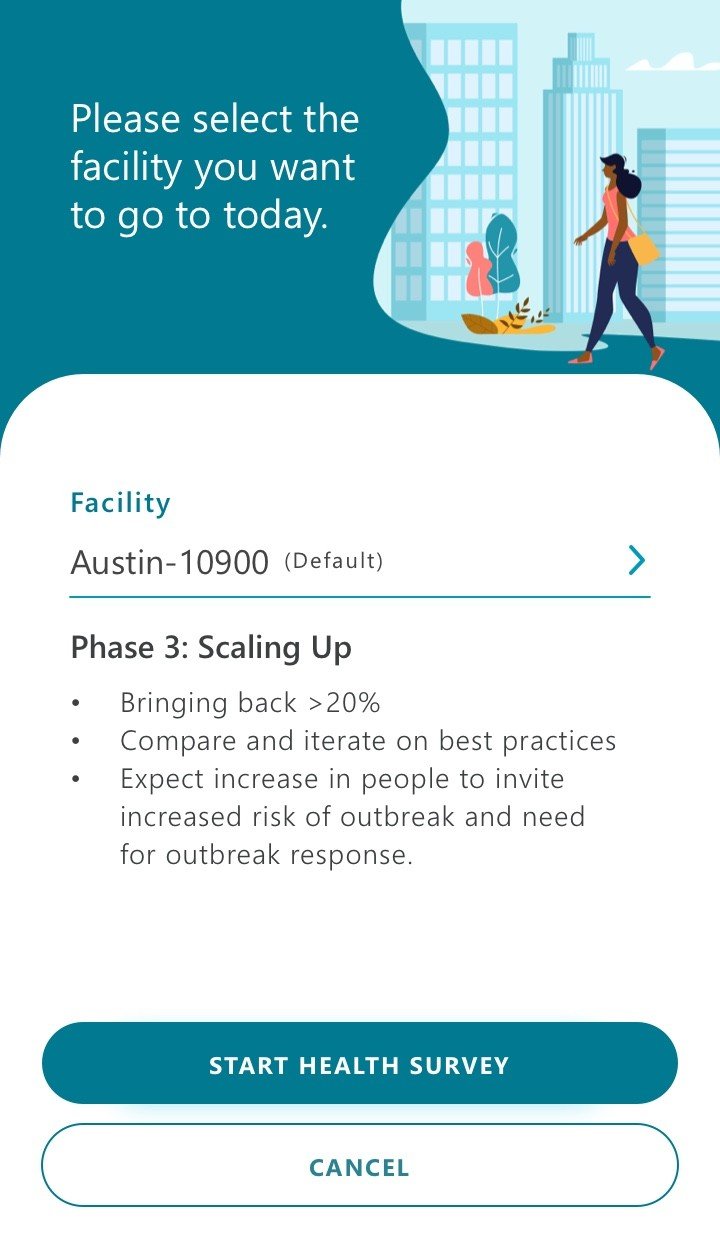
Select the facility, with phase guidance and a start health survey button
Step 1Pick a facilitySee its reopening phase and start the health check
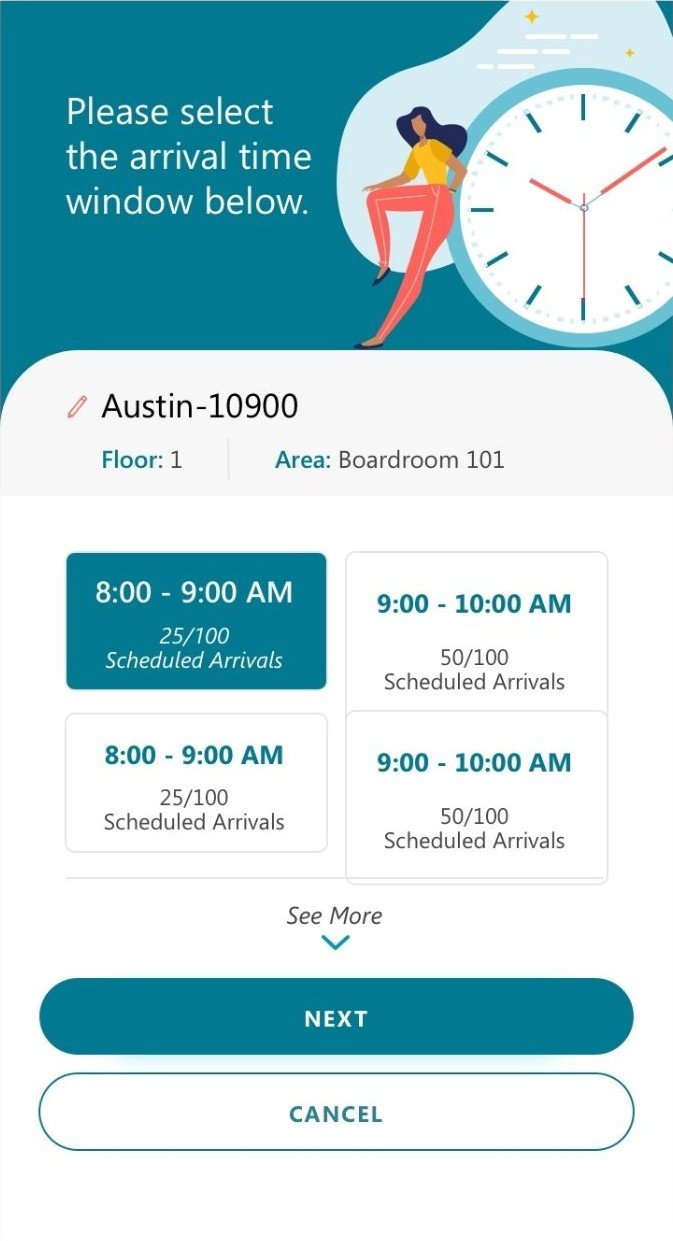
Choose an arrival time window, with scheduled arrivals per slot
Step 2Book a space and timeFloor, area and an arrival window with live capacity
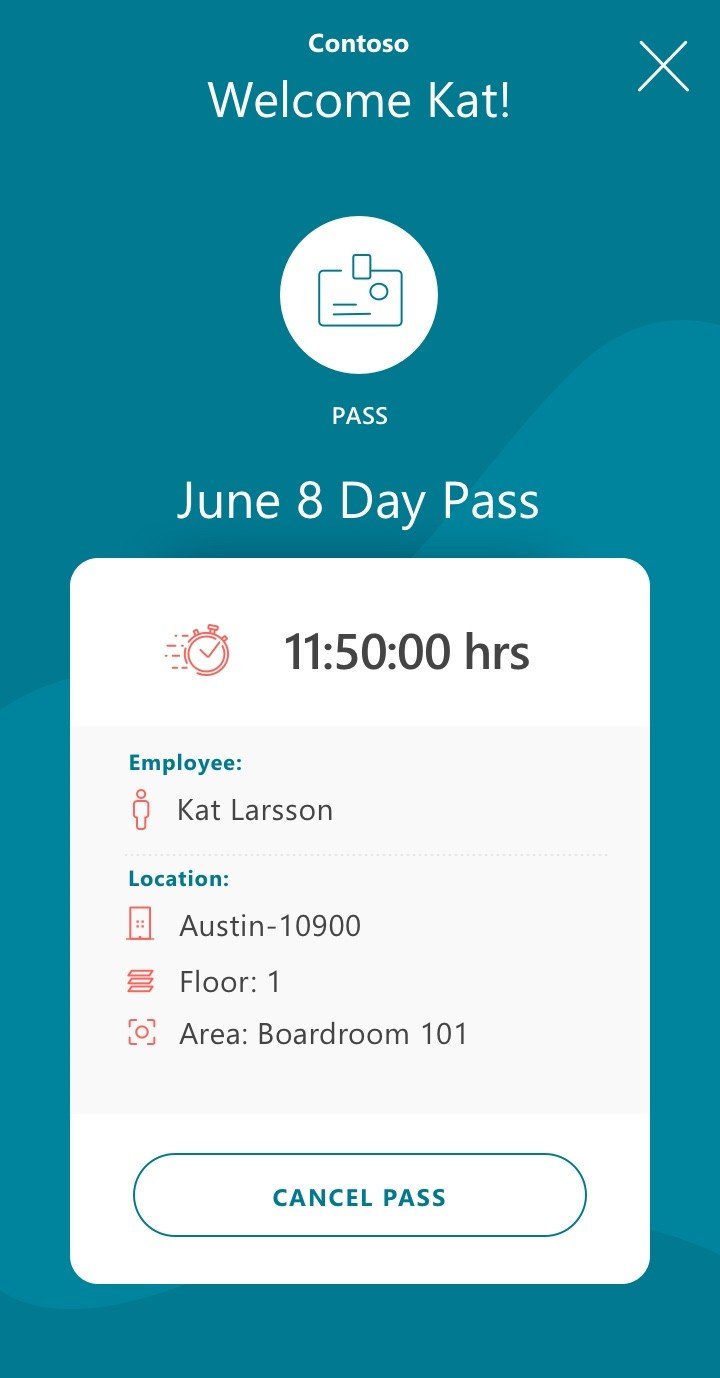
The day pass with time remaining, employee, building, floor and area
Step 3Get the day passFacility, floor and area built into the pass
03

Designing for 1,400 different organizations

Decision 1 · Configurable compliance

A health check that is plain about privacy

The daily check says what is collected and why before asking anything. Behind it, IT admins can switch attestation fields on or off to match local rules, such as EU GDPR versus US guidelines.
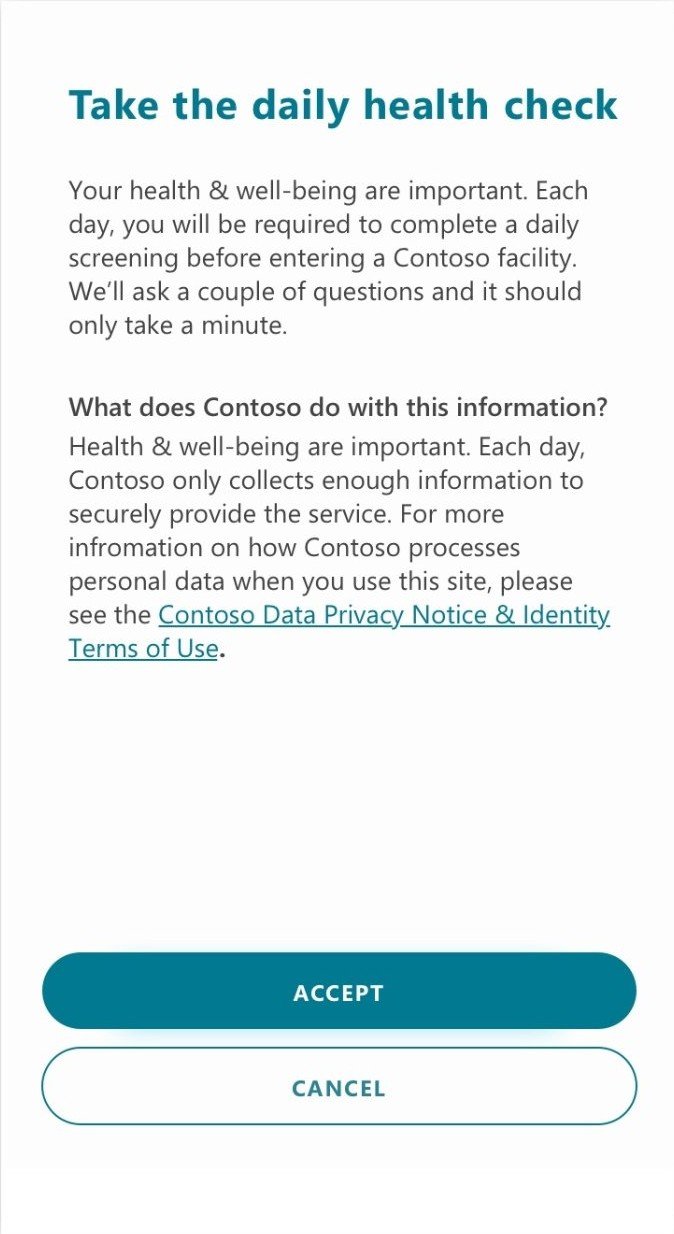
Take the daily health check, explaining what the company does with the information
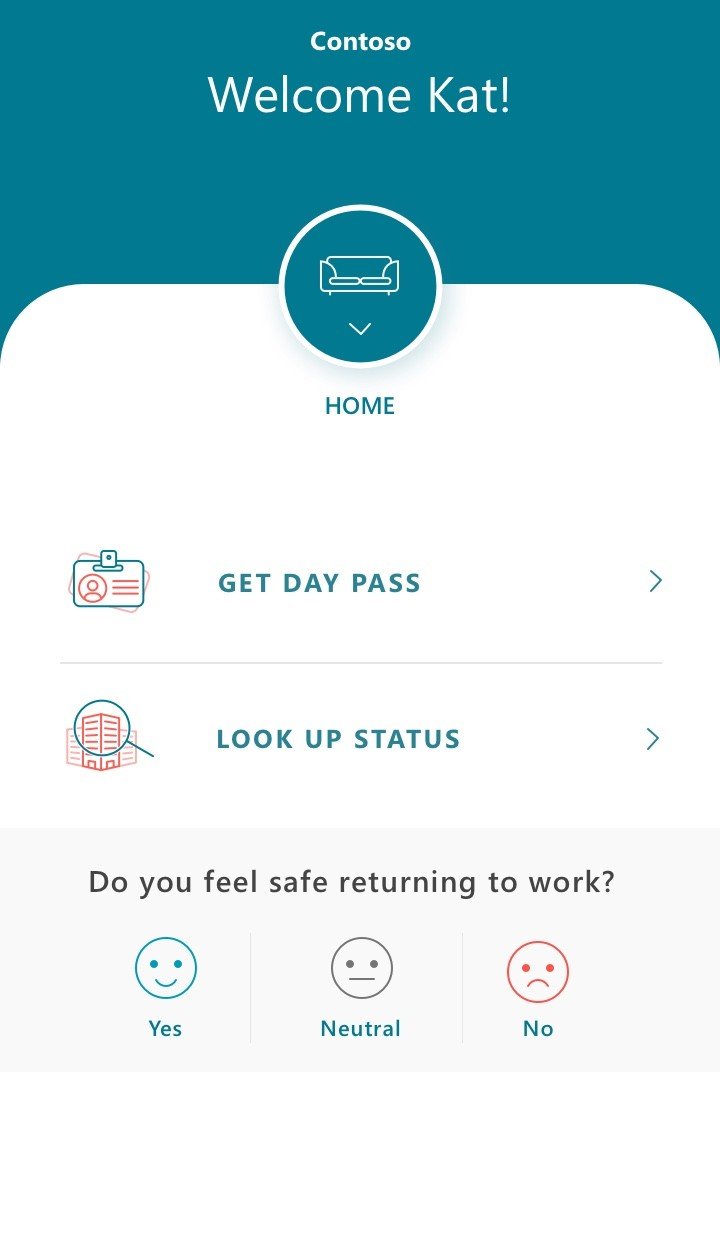
Home: get day pass, look up status, and a do you feel safe returning to work pulse
Facility selection with a saved default
Decision 2 · Scalable patterns

One pattern from a single office to a global campus

A two-option home and a facility picker with a saved default handle a single-building pass and multi-building campus reservations with the same flow. A one-tap pulse, “Do you feel safe returning to work?”, gives organizations a read on sentiment.

Decision 3 · Every outcome designed

A clear yes at the door, and a kind no

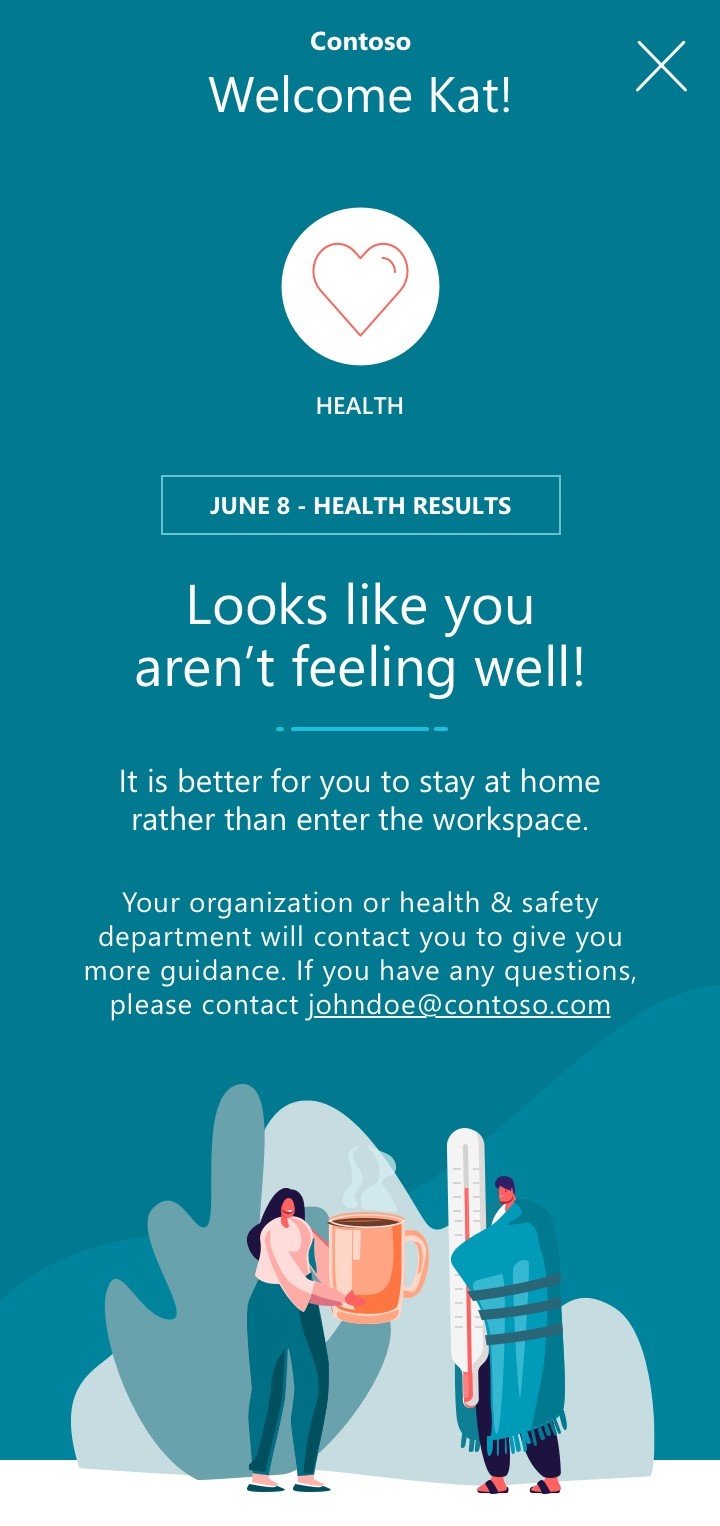
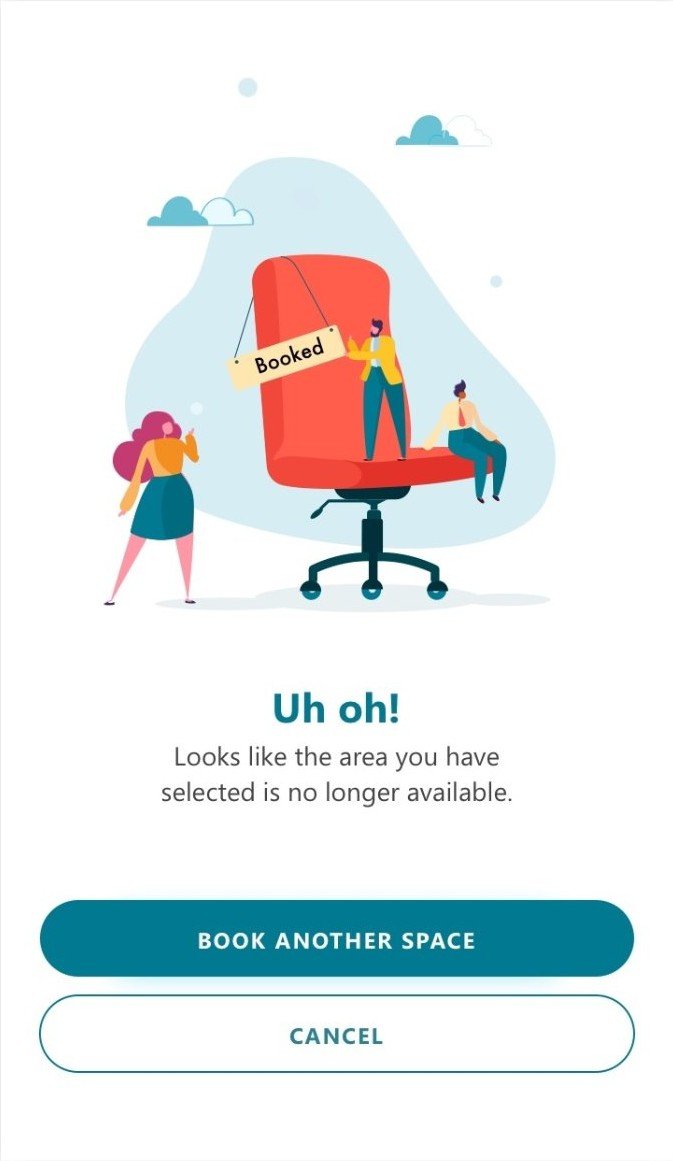
The pass reads in a glance at a security checkpoint. When someone reports symptoms or a space is taken, the app says so plainly, explains what happens next and offers another option. Built on Fluent Design principles with high contrast and screen reader support.
Day pass
Cleared
Looks like you aren't feeling well: stay home, and who will contact you
Not feeling well
Uh oh, the area is no longer available, book another space
Space taken
04

How I worked

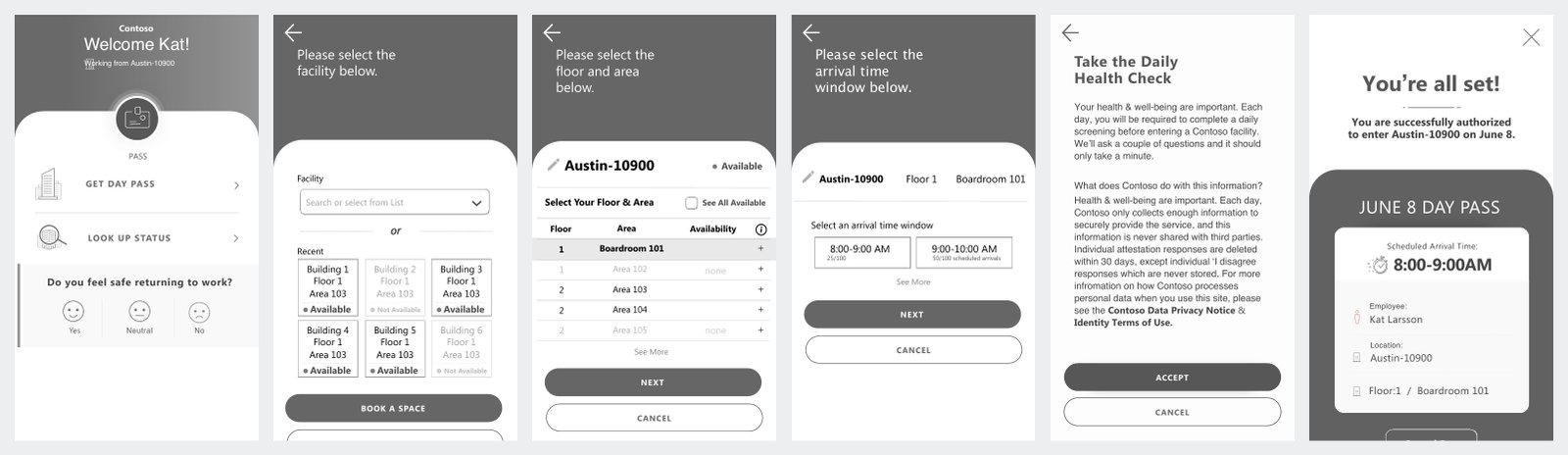
Wireframes of the daily-pass journey: home, facility, floor and area, arrival window, health check, confirmation
Mapped every path in wireframesThe full daily-pass journey, happy and unhappy paths, across employee and representative roles.
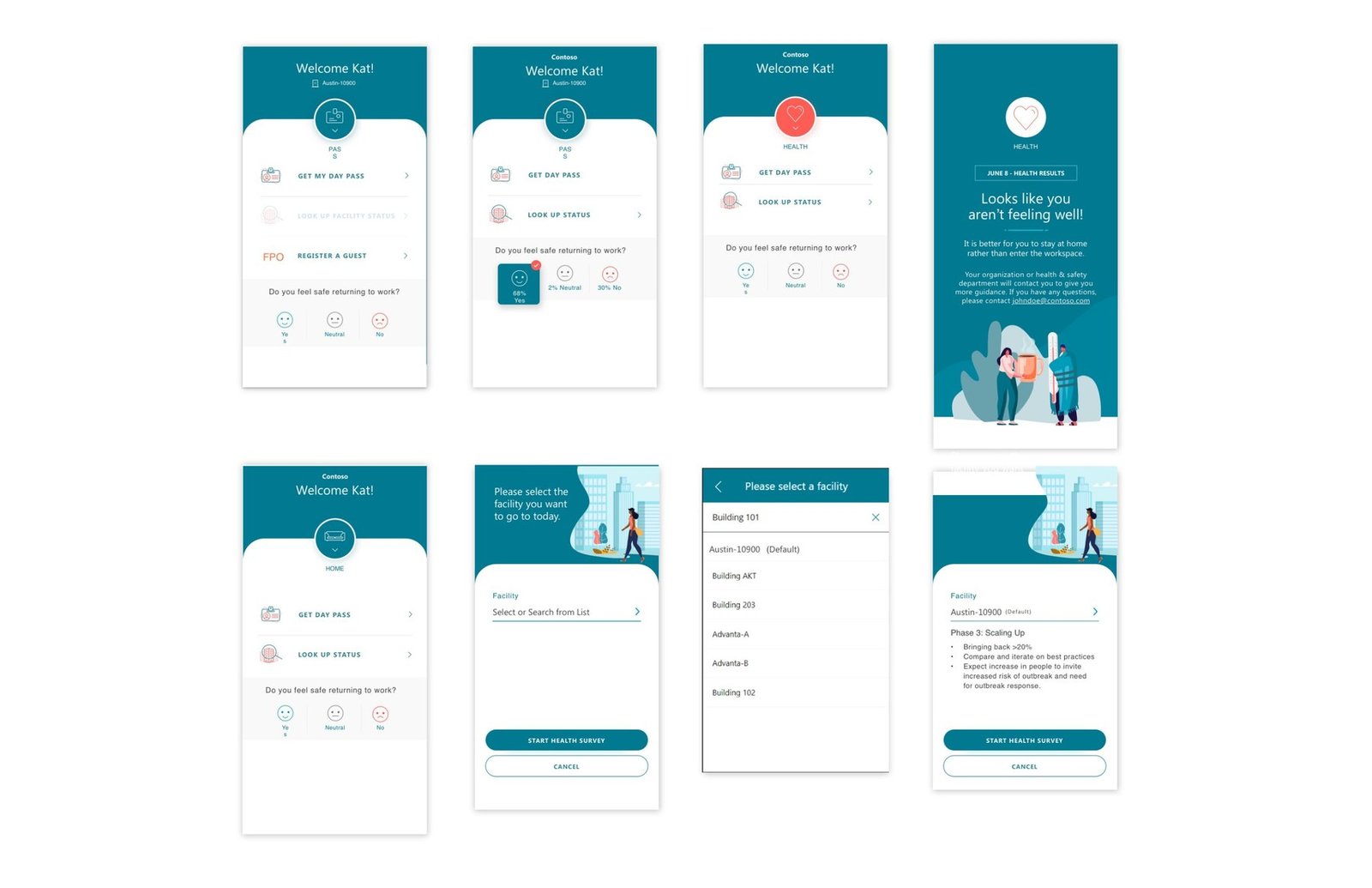
High-fidelity iterations of the home, health result and facility screens
Scaled with the systemBuilt on our visual designer’s design system to iterate high-fidelity screens quickly for a global audience.
05

What testing changed

Usability testing · 6 enterprise employees
6 of 6 participants didn’t realize the circular pass badge was a button. “I definitely didn’t think it was a button.” Next: give the badge clear button cues: a distinct color and shape, a shadow, and direct labels like “View pass.”
Before booking is where people expected the symptom check, not after. “If I book a space and realize I disagree on symptom agreement, I just wasted 10 minutes.” Next: the final flow starts the health survey right after choosing a facility.
Keep what worked: the look-up-then-book flow, save as default and the illustrations. “Very seamless and straightforward.” “Illustration is a nice touch.” Also: larger arrival times on the pass and bolder titles for easier scanning.
06

Outcomes

1,400+Organizations, from corporations to government agencies and schools
70+Countries across North America, Europe, Asia-Pacific and Latin America
FeaturedIn Microsoft blogs, press announcements and technology keynotes
“Janie did excellent work. The work she did was transformational. She captured the essence of what we and the client wanted.”
James Marzola · Global Technology Strategist, Microsoft
“Janie is a UX designer with an intrinsic sense for what a customer needs and driving towards a customer-centric design.”
Vedang Singh · Product Leader, Microsoft (Search & Copilot)
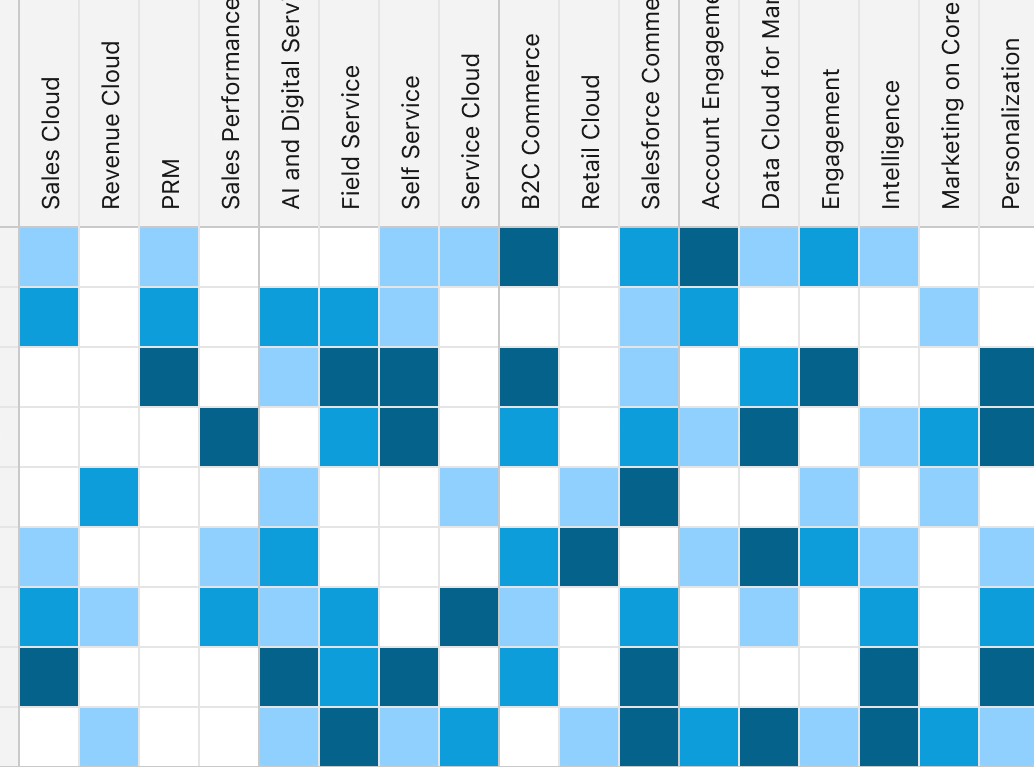
Next case study Salesforce Seller Whitespace → Consolidated 13+ tools into one governed CRM analytics experience
Seller Whitespace heatmap