Seller Whitespace
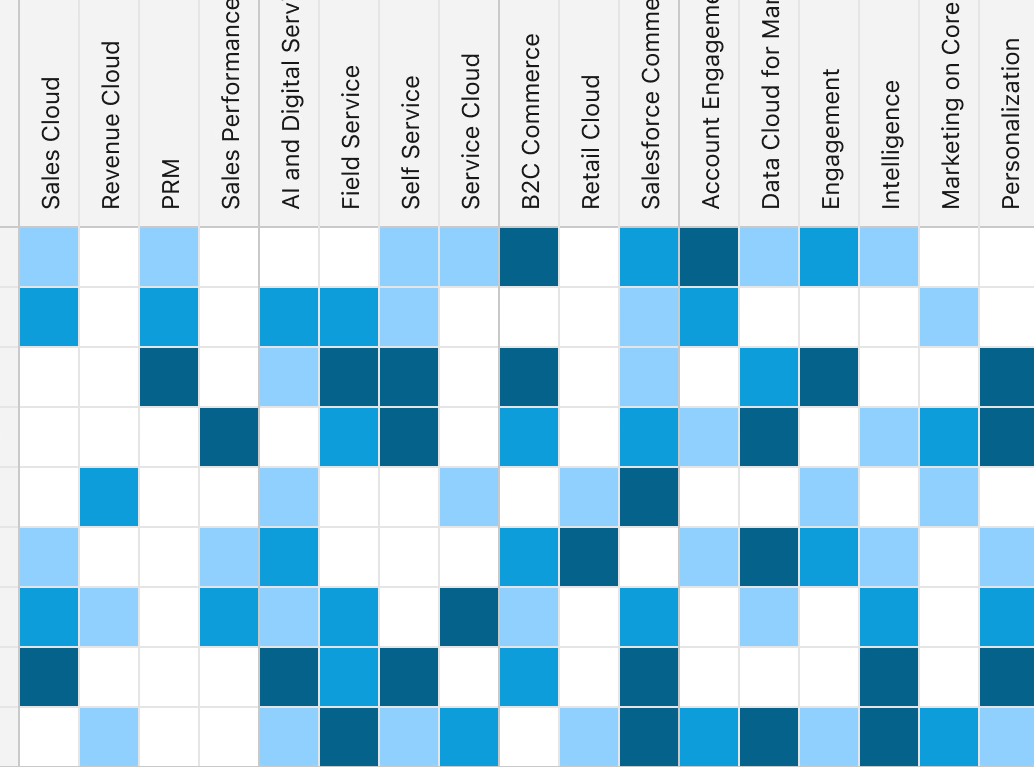
Consolidating 13+ disconnected tools into one governed heatmap that shows sellers where to grow.
The stakes
Sellers had no single place to answer the most basic growth question: where is the untapped opportunity in this account?
Answering it meant stitching data by hand across Snowflake, OrgSF, Tableau and the Enterprise Data Hub, each with its own account hierarchy, refresh cadence and definition of ownership. Hours went into spreadsheets instead of customers.
The call I made
Hide the architecture’s complexity, not the data.
Instead of exposing backend fragmentation to sellers, I partnered with Product and Technical Architecture to map four data sources behind one governed interaction model. Every design decision that followed came from that principle.
Three decisions that shaped the product
One toggle for accounts and tenants
Sellers work across named accounts and multi-tenant orgs. Rather than build two tools, I designed one toggle that keeps active filters, the color scale and drill-down behavior intact across both views.

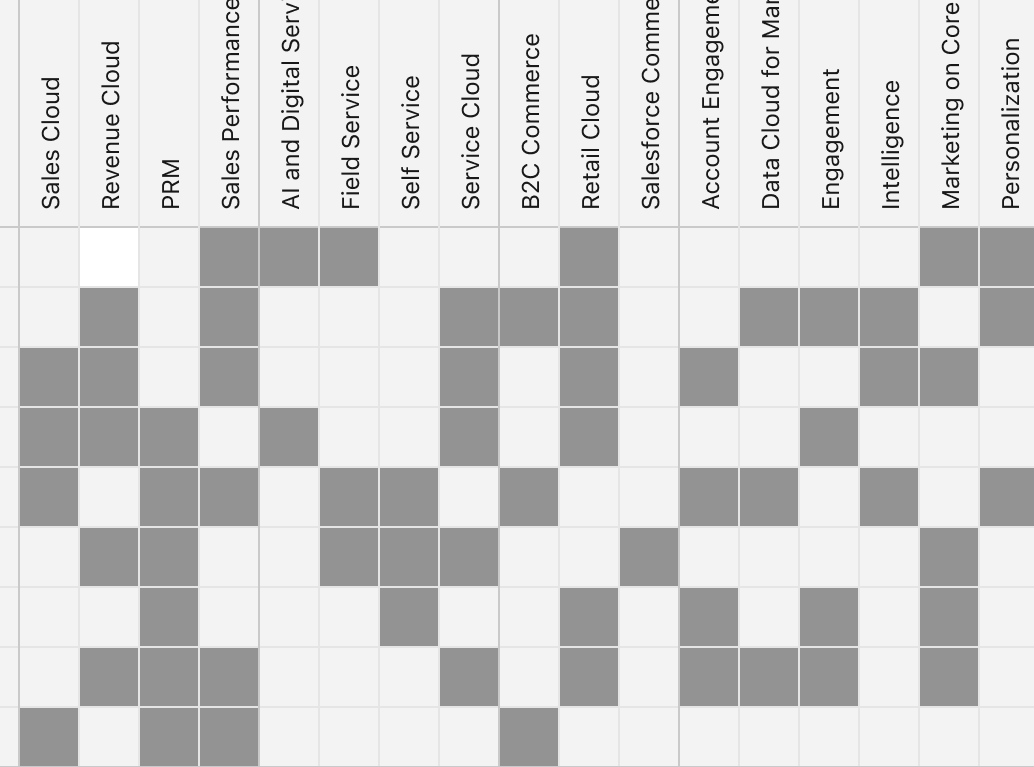
Make the whitespace visible
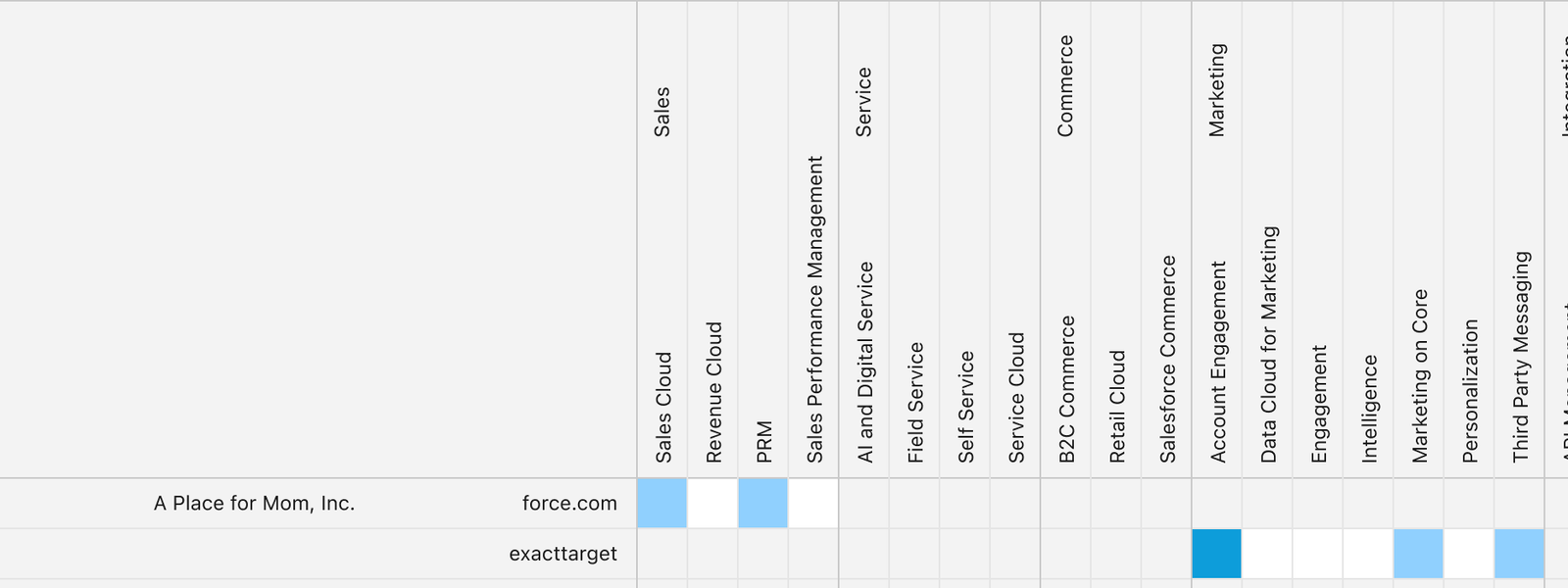
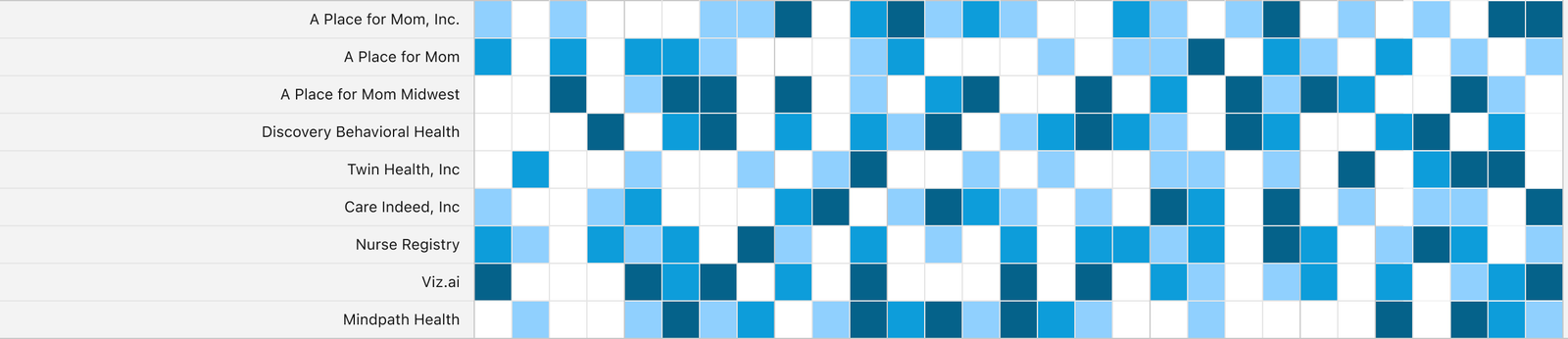
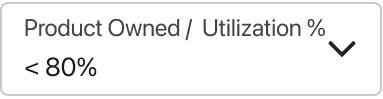
I replaced ambiguous circle charts with a graduated scale from not owned to 100%+ utilization. Unscored products no longer vanish: filter to Not Owned and the untapped opportunity appears as its own pattern. The scale was tested with Voice-of-Field sellers and validated against WCAG AA.
Scan, scope, then investigate in place
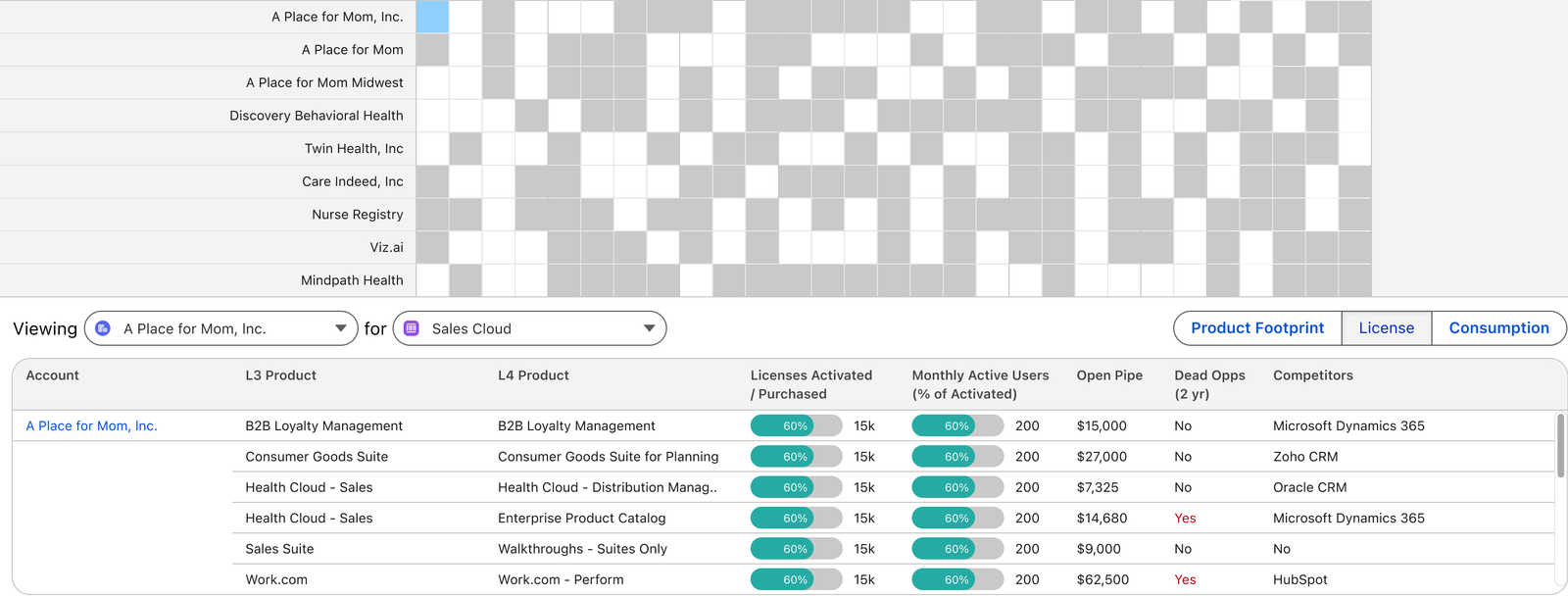
One page carries a seller from the whole territory to a single account’s detail, without losing context or opening a new tab.


How I brought people along
Architecture as a design partner
Worked with Product and Technical Architecture to translate backend relationships into one governed model.
Sellers in the loop
Ran iterative feedback loops with active Voice-of-Field account executives to shape and validate the design.
Workshops and prototypes
Facilitated design workshops and used prototypes to align stakeholders on direction.
Outcomes
Designed as the foundation for AI prioritization
Standardizing ownership and utilization into one heatmap grid gives future AI layers, such as Agentforce, a clean place to score propensity, so sellers see not just where opportunity exists but which accounts to prioritize first.
“Janie built an extensive reservoir of trust on the team through her excellent work, positive attitude, and passion for creating the best possible user experience. She achieves alignment not only through thoughtfully designed prototypes but also through her executive presence and facilitation of design workshops.”